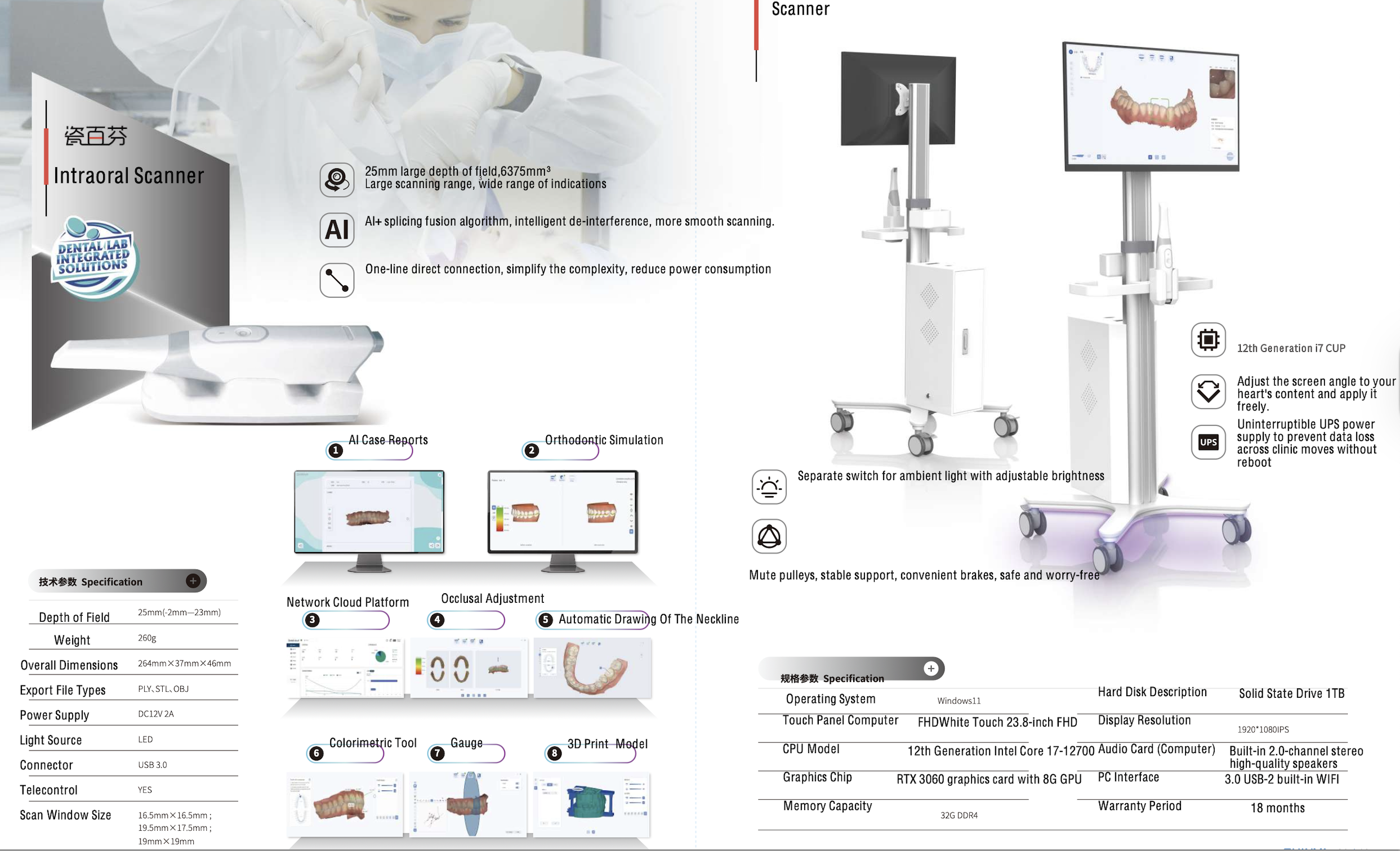
Humanized scanner tip The scanning tip is actively integrated with heating system inside, with fast heating speed and constant temperature; the angle of the mirror of the scanning tip is close to 45″, which can better take into account the scanning area of anterior and posterior part.
Fashion and light Handpiece The overall appearance of the handpiece is with streamline design, the net weight of the handpiece is 210g, and the hand-held design makes the operation much more convenient and simpler.
Easy detachable The scanner tip can be replaced by a simple plug in and out operation, and the disinfection methods of immersion disinfection and high temperature and high pressure sterilization are both available.
Screw-in connection The replaceable Type-C data cable adopts a screw connection design to better ensure a stable connection during operation.
Cable connector Our model is direct connection. No adaptor needed.
Scan Body Matching
3 steps to empower clinical cases
1. Scan the upper and lower jaw.
2. Import implant data from our database (enables to DIY registration).
3. Scanning scan body and matching.
Oral Health Report
Generate report automatically
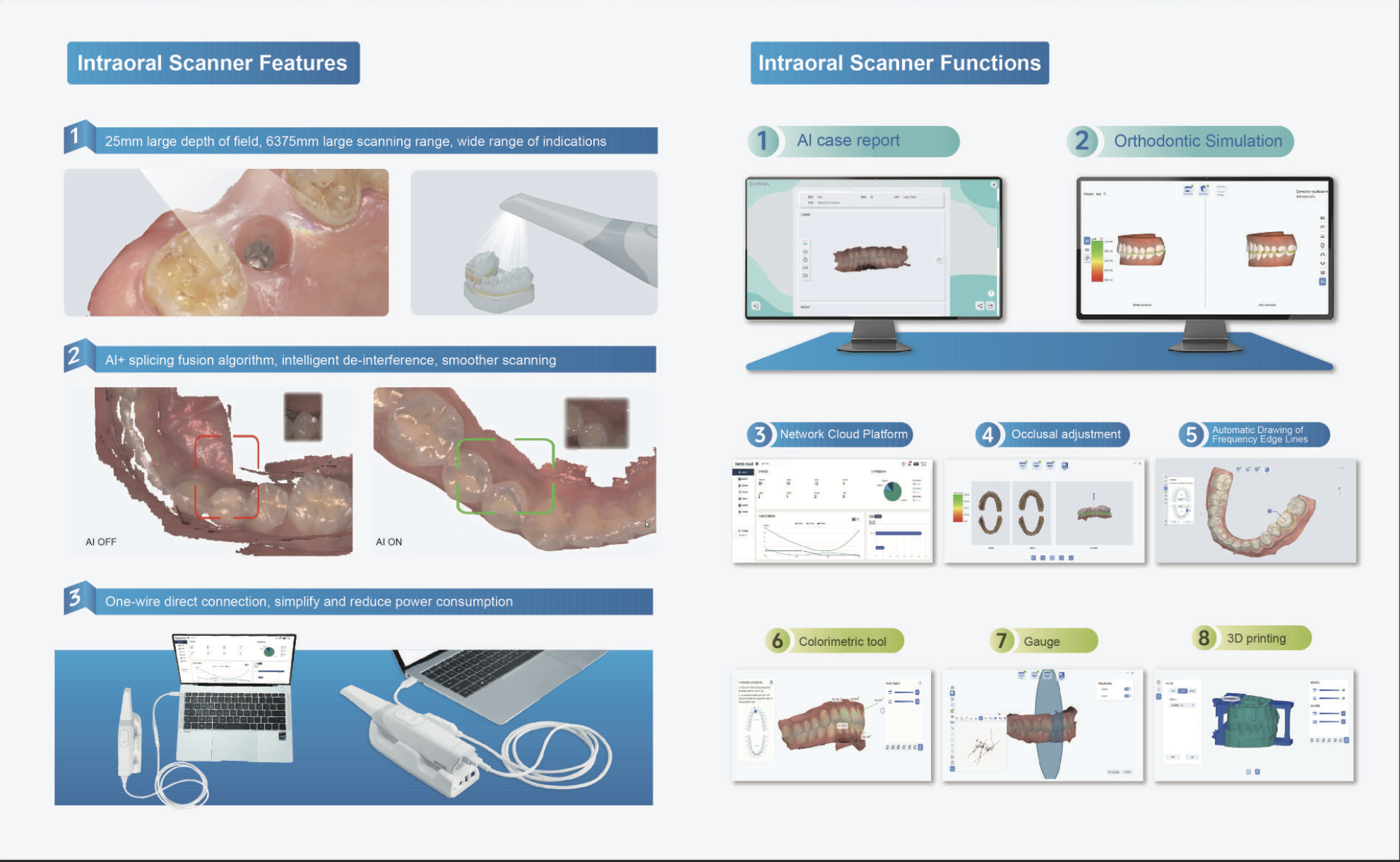
The AI algorithm of deep learning can accurately find and locate the lesion, and generate the patient's oral health report automatically.
Real-time review
Report support real-time remot review, wich facilitates communication between dentists and patients, making the whole diagnosis and treatment more intuitive and vivid.
Support printing report
Patients can save the printed report to provide a basis for subsequent diagnosis and treatment.
Scan Lock
If ‘Lock scan view’ is activated, a small grey scanner tip will appear on the interface during the scanning process. Through this scan tip, dentists can clearly judge whether missing data have been rescanned.
Area blocking
View blocking
Full integration
Features
Metal scan
Key optimizations have been made for the difficulty of noises and reflecting during metal scanning. Optimized metal scan toolds can help dentists scan all kinds of metal materials easier.
Margin line drawing
The Margin Line tool can help dentists to draw a margin line on the scan data and export it to a propietary format. The marked margin line data can be imported to design software such as EXOCAD.
Model builder
The Add Base tool can help dentists generate model files that can be directly used for printing with one click.